Understanding achievements
Achievements are milestone awards that celebrate consistency, growth, and extra effort.
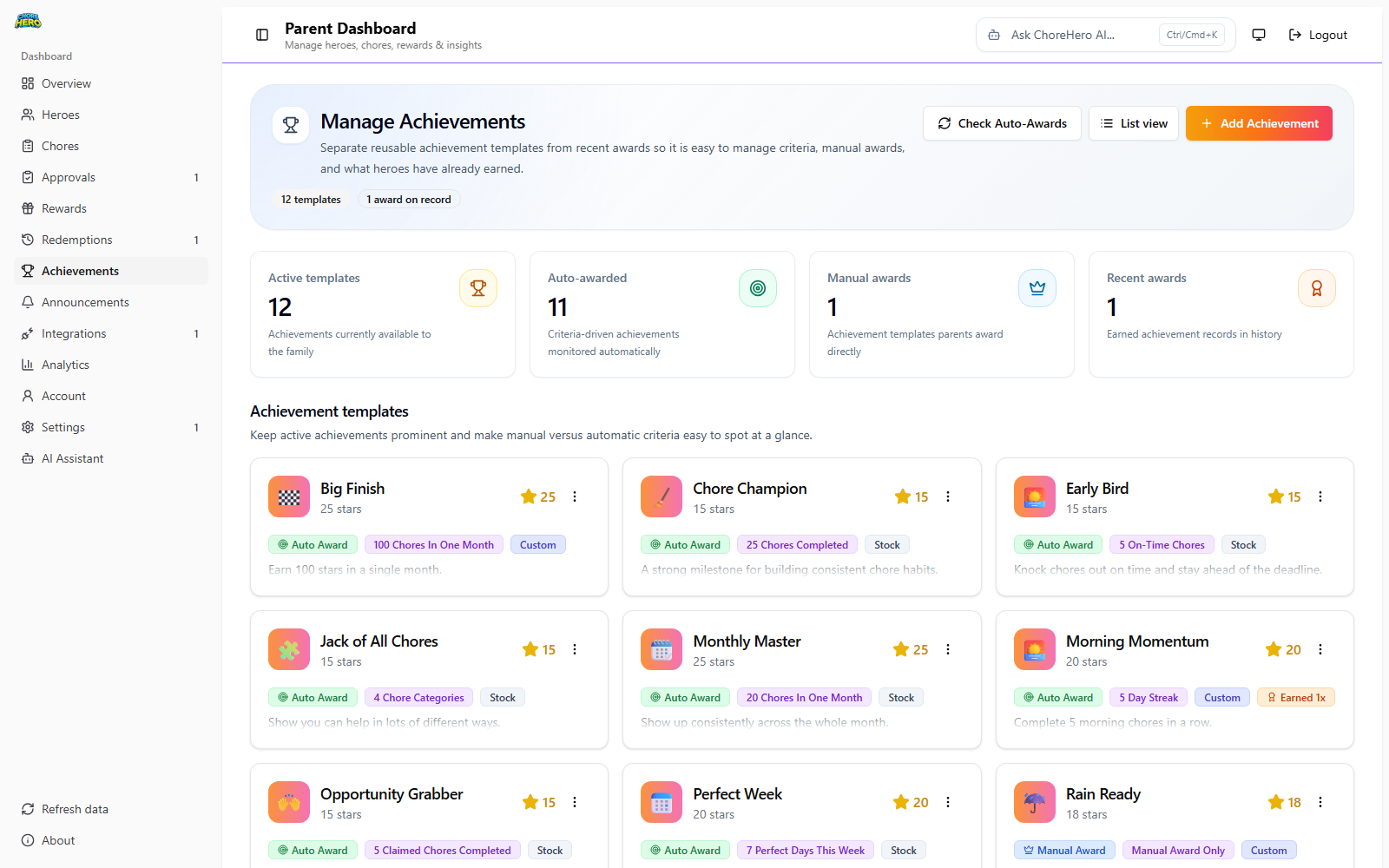
Parents can:
- create custom achievement templates
- enable or disable templates
- choose manual or auto-award behavior
- assign star awards for each achievement
Children can:
- view unlocked achievements
- view locked achievements and what to work toward next
Achievement setup options
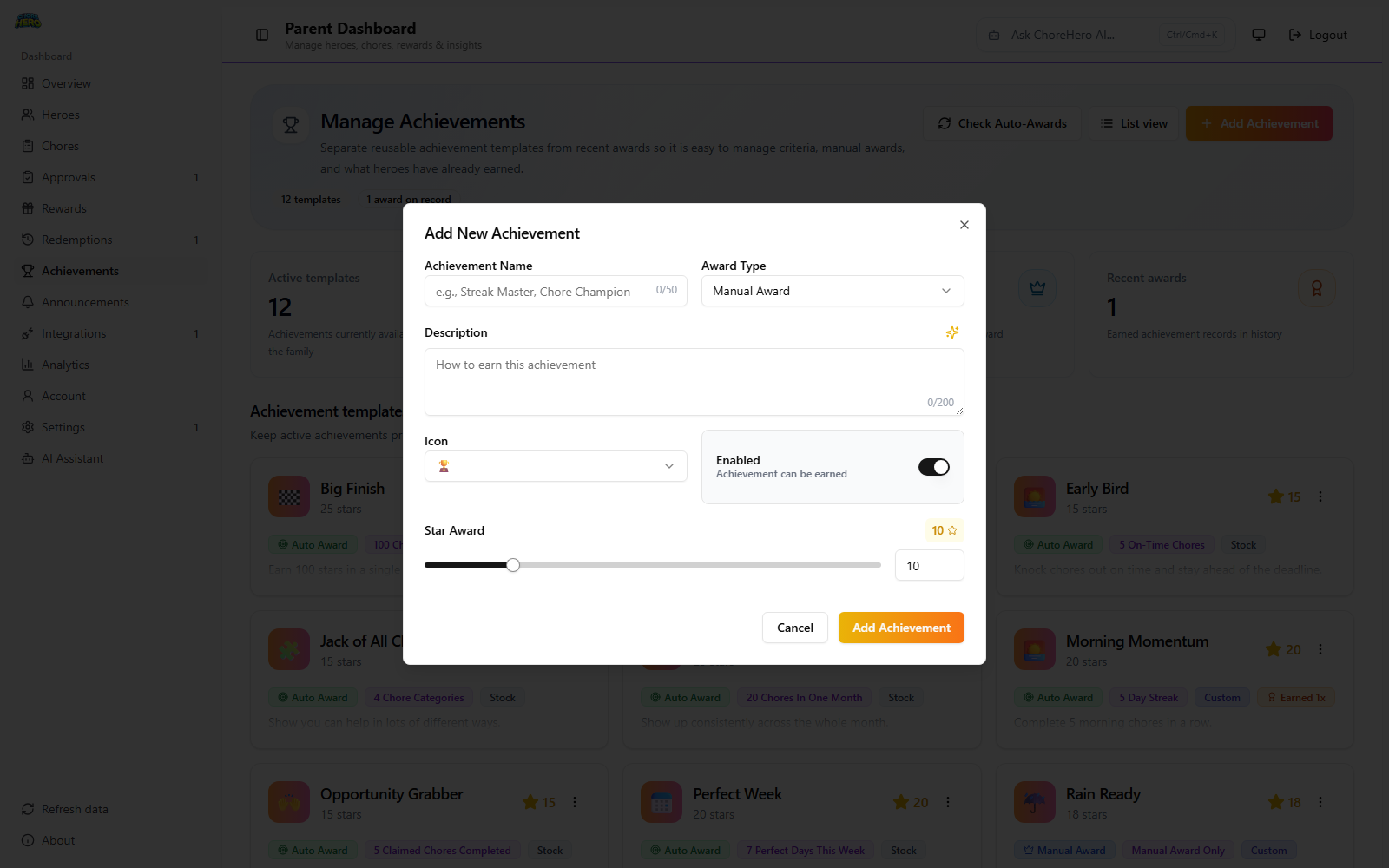
Achievement Name
What it means:
- the title shown in parent and child views
- required
- up to 50 characters
Examples:
- “Streak Starter”
- “Kitchen Helper”
- “Monthly Master”
Award Type
What it means:
- defines who awards the achievement
- options:
- Manual Award: parent awards directly
- Auto Award: system awards when trigger is met
When to use:
- manual for subjective achievements (attitude, teamwork)
- auto for objective metrics (counts, streaks, totals)
Examples:
- Manual: “Great sibling support this week”
- Auto: “Complete 25 chores”
- Auto: “7-day streak”
Description
What it means:
- explains how to earn the achievement
- up to 200 characters
Examples:
- “Complete all daily tasks on time this week”
- “Finish 20 chores this month”
- “Help across multiple chore categories”
Icon
What it means:
- emoji shown on achievement cards
Examples:
- 🔥 for streaks
- 🏆 for major milestones
- 🌟 for star-based goals
Enabled
What it means:
- controls whether the template can currently be earned
- disabled templates stay in catalog but do not award
Examples:
- disable summer-specific achievements in school term
- pause experimental achievements while rebalancing goals
- re-enable later without recreating from scratch
Star Award
What it means:
- stars granted when achievement is earned
- range: 1 to 50
Examples:
- 10 stars for a first milestone
- 20 stars for weekly consistency
- 35 to 50 stars for rare monthly or seasonal goals
Auto-award trigger types
Use these when Award Type is set to Auto.
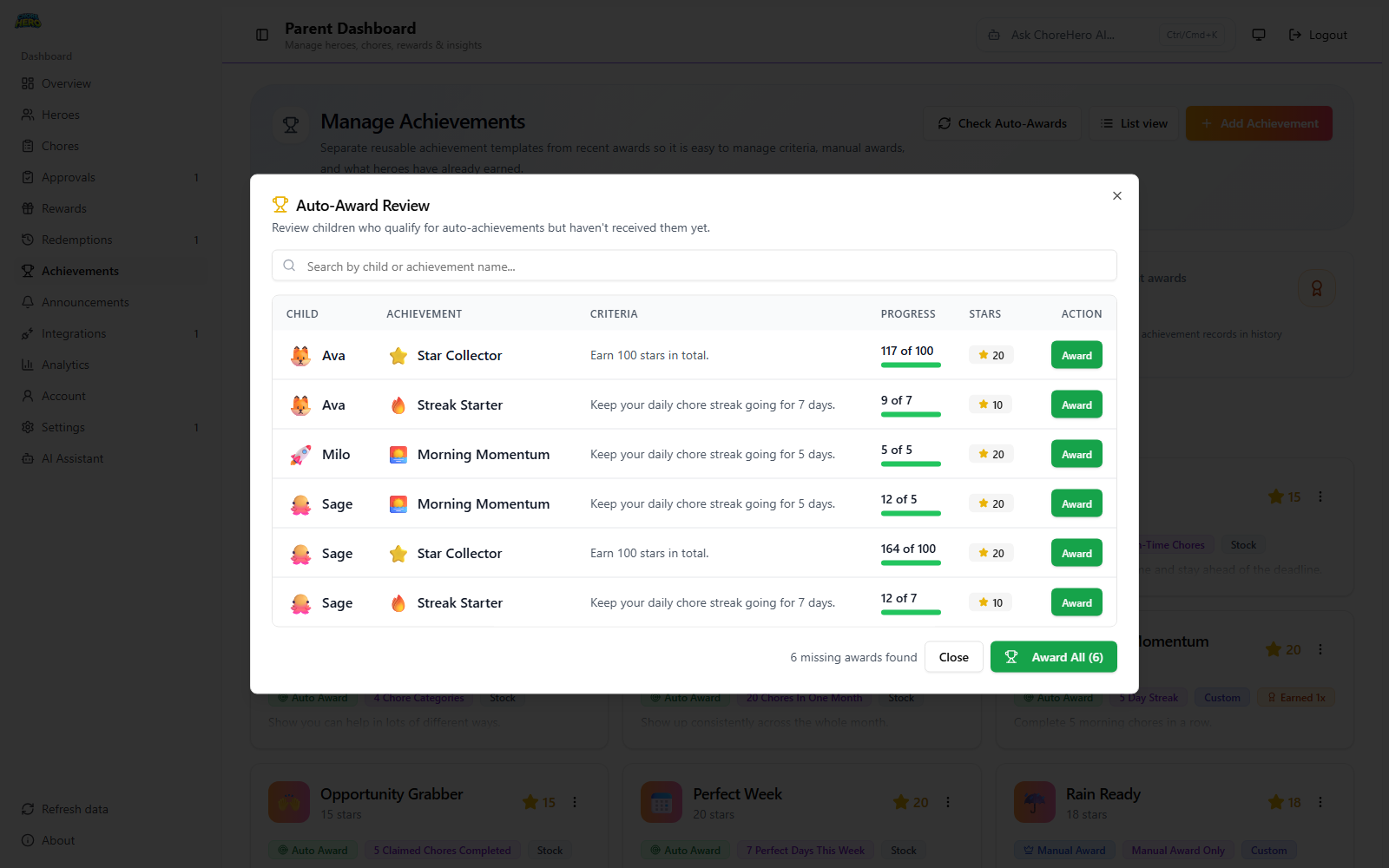
Streak Days
Meaning:
- earn after maintaining a chore streak for a target number of days
Good use cases:
- building daily routine habits
Example setups:
- 5-day streak = 10 stars
- 7-day streak = 15 stars
- 14-day streak = 30 stars
Total Chores
Meaning:
- earn after completing a target number of chores overall
Good use cases:
- long-term consistency tracking
Example setups:
- 25 chores = 15 stars
- 50 chores = 25 stars
- 100 chores = 40 stars
Total Stars
Meaning:
- earn when cumulative earned stars reach a target
Good use cases:
- broad progress milestones regardless of task type
Example setups:
- 100 stars = 20 stars bonus
- 250 stars = 35 stars bonus
- 500 stars = 50 stars bonus
Perfect Week
Meaning:
- complete all due chores on time for all 7 days in a week
Good use cases:
- punctuality and complete follow-through
Example setups:
- one weekly “Perfect Week” badge worth 20 stars
- temporary school-term challenge worth 25 stars
Monthly Master
Meaning:
- complete a target number of chores in one month
Good use cases:
- month-long consistency campaigns
Example setups:
- 20 chores in month = 25 stars
- 30 chores in month = 35 stars
- 40 chores in month = 45 stars
Early Bird
Meaning:
- complete a target number of chores on time or early
Good use cases:
- reducing last-minute or late submissions
Example setups:
- 5 on-time chores = 15 stars
- 10 on-time chores = 25 stars
Jack of All
Meaning:
- complete chores across a target number of categories
Good use cases:
- encouraging variety, not just repeating one easy chore
Example setups:
- 4 categories = 15 stars
- 6 categories = 30 stars
Up for Grabs
Meaning:
- complete a target number of claimed “Up for Grabs” chores
Good use cases:
- encouraging initiative on shared household tasks
Example setups:
- 5 claimed chores = 15 stars
- 10 claimed chores = 30 stars
Manual awarding flow
For manual achievements:
- Open the achievement template.
- Select Award Manually.
- Choose a hero.
- Confirm the award.
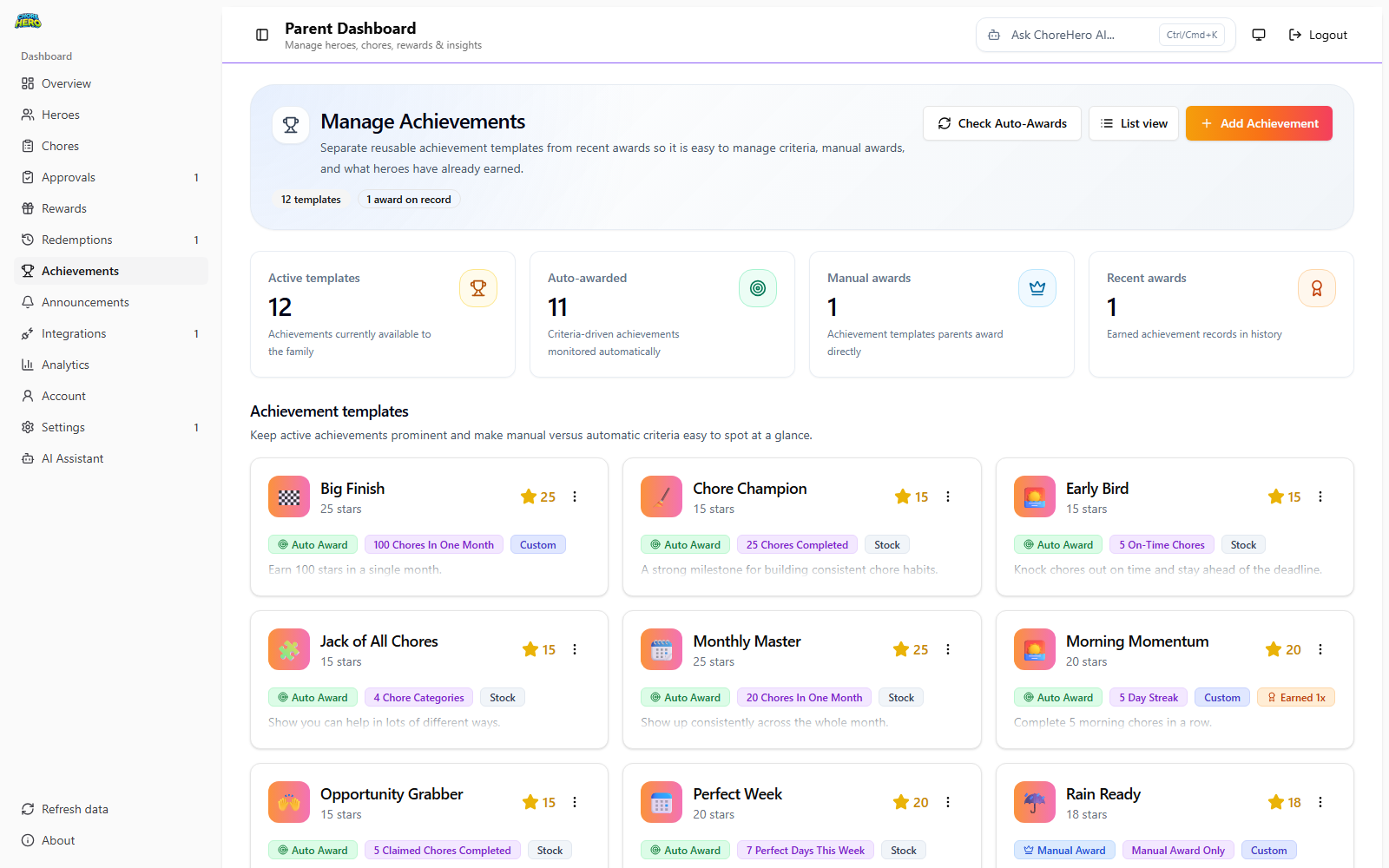
Use manual awards for moments metrics cannot measure well.
Examples:
- helping a sibling without being asked
- handling a surprise task calmly
- showing extra care on a difficult day
Suggested starter achievement set
Start with a simple blend:
- one streak achievement
- one total chores achievement
- one manual “parent recognition” achievement
- one up-for-grabs initiative achievement
This gives children both predictable goals and room for positive surprise recognition.